
martes, 14 de abril de 2015

viernes, 27 de marzo de 2015
martes, 17 de marzo de 2015
viernes, 13 de marzo de 2015

martes, 10 de marzo de 2015
PICTURE TO PEOPLE
In this post we are going to work with a website that offers us a big amount of posibilities to edit, crate and play with the images. It is called picture to people.
Picture to people has three main sections. two of them are based on editing pictures. So we are going to edit this picture:
THE PHOTO EDITOR
THE PHOTO EFFECTS AND FILTERS
Picture to people has three main sections. two of them are based on editing pictures. So we are going to edit this picture:
 |
| This is Andy Warhol. A pop Artist |
Here you edit a photo as easy as three clicks:
we have edited the andy warhol people using:
the filter Pen and Ink Sketch:
 |
| We have used the style 6, orange background and black strokes |
This section lets us use more than 30 types of filters.
 |
| Settings: Smart hot color improvent, improvement level 5, contour level 2, 5 hot light colors |
I used the led effect text maker

viernes, 27 de febrero de 2015
PICTURE RESIZE: TEST IMAGE
we are using picture resize
We are using a image we downloaded from the internet and resized with this online app.
here is the original size of the picture


We are using a image we downloaded from the internet and resized with this online app.
here is the original size of the picture
and here you can see the resized picture
martes, 10 de febrero de 2015
SUMO PAINT / GIMP CLONE STAMP TOOL

This tool can be found also in GIMP or photoshop and it is one of the most used tools to fix imperfections or cover anything we don't want to see.
It copies pixels from the area we choose and pastes them wherever we move the tool on.
it is pretty easy and simple to use. You need to set the brush where you wanna copy pixels, press the Alt key (on the left of the space key) and then click where you want to copy the pixels.
In this excercice You need to make a version of a pieter brueguel painting removing the main characters.
You'll have to post the original painting and your final result. The most you change the original painting the highest your grade will be.
Let me show you my example:
You'll have to post the original painting and your final result. The most you change the original painting the highest your grade will be.
Let me show you my example:
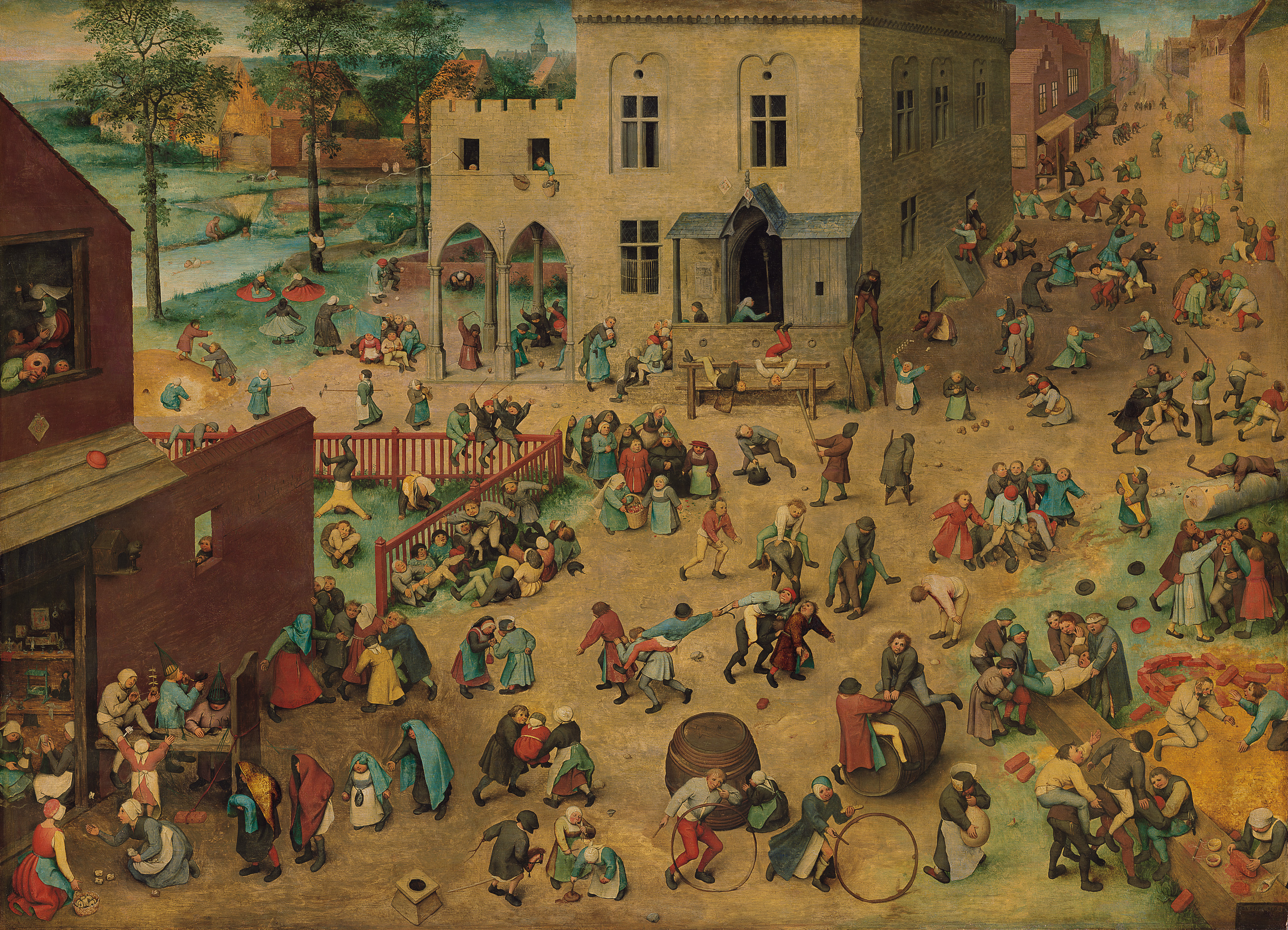 |
| Children's games . Original painting by Pieter Brueguel |
 |
| I deleted the characters using the clone stamp tool |
martes, 3 de febrero de 2015
SUMOPAINT-LAYERS
In post (exercise) you have to create two images combining different background and two elements that originally don't belong to the image.
For that, you are going to use: SUMO PAINT
You have to post two pictures: Each picture has to have different background. And each picture has to show, at least, two (new) objects or elements in it.
See these examples:

For that, you are going to use: SUMO PAINT
You have to post two pictures: Each picture has to have different background. And each picture has to show, at least, two (new) objects or elements in it.
See these examples:
martes, 20 de enero de 2015
PRESENTATION POST
hello my name is Ximo I teach 2nd ESO design and this will be my blog this course. Here I'll hang all the formulations and examples of the work that we will make.

Suscribirse a:
Comentarios (Atom)